
Markup Calculator
Gross profit: 20
Selling price = cost × (1 + markup ÷ 100)
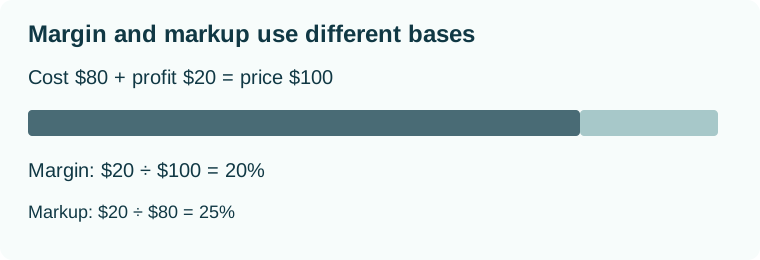
Calculate a selling price by applying markup to cost.
Formula
Selling price = cost × (1 + markup ÷ 100)
Worked example
Cost: 80
Markup on cost: 25 %
With these inputs, the result is **100 **. Gross profit: 20
How to use this calculator
- Identify the quantity you want to calculate.
- Enter your measurements in the units shown on each field.
- Read the result, which updates as you change the inputs.
- Check the assumptions below before applying the result.
Assumptions and limits
Markup is based on cost, whereas margin is based on selling price. Taxes and operating costs are excluded.
Precision and checking
Results are rounded for display. Use the most accurate measurements available, and avoid rounding your inputs unnecessarily. Extra decimal places in a result do not make an estimate more reliable.
To check a result, substitute the same input values into the formula shown above. Change one value at a time to understand how the quantity responds.
Frequently asked questions
What assumptions does this calculation use?
Markup is based on cost, whereas margin is based on selling price. Taxes and operating costs are excluded.
Are my inputs sent to a server?
No. The calculation runs locally in your browser. The result updates as you edit the inputs.